You see every step before anything changes.

The plugin does the tedious part — working out which new file replaces which old one. Anything that could damage your site waits for you to say yes.

Upload

Bring in the new files. Nothing on your site changes yet.

Drop in the folder of new files and they sit in a workspace of their own. Your live pages are untouched while the plugin looks at each filename and works out where it probably belongs.

PDFs, Word and Excel documents, images — anything you keep in your Media Library.

Matching

It works out where every file goes.

It reads the new filenames, finds the file on your site each one is replacing, and tells you how sure it is about every single one.

It never guesses quietly. When it is sure, it says so. When it is not, the file waits for you instead of being replaced.

With Pro

The second time the same filenames come round, it already knows them. It gets right what you fixed last time, it understands your abbreviations, and the words that are on every file and mean nothing stop getting in the way.

Explore Pro
Review & Resolve

You check the ones it was not sure about.

Send a file somewhere else, skip one entirely, or confirm where a brand-new file should go. Nothing gets replaced unless you say so.
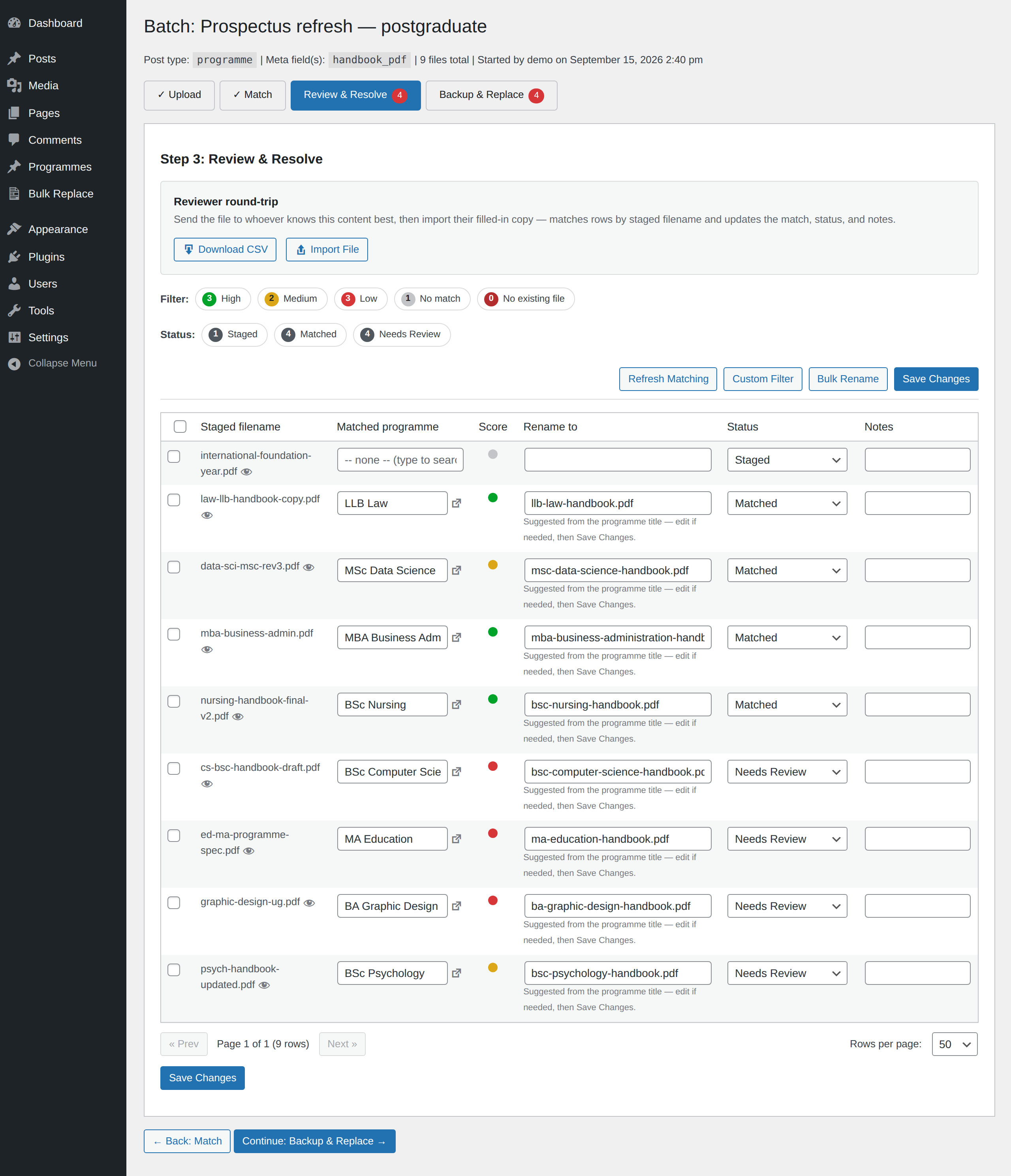
The review screen for a batch called Prospectus refresh: nine new PDFs matched to the programme pages they belong on — three the plugin is confident about, two it is fairly sure of, three it is unsure about and one it could not place. Four are waiting to be checked.
Nine files waiting, sorted by how sure it is — and you can edit the new filename on any row.
Replacing, and undoing

What happens once you approve it.

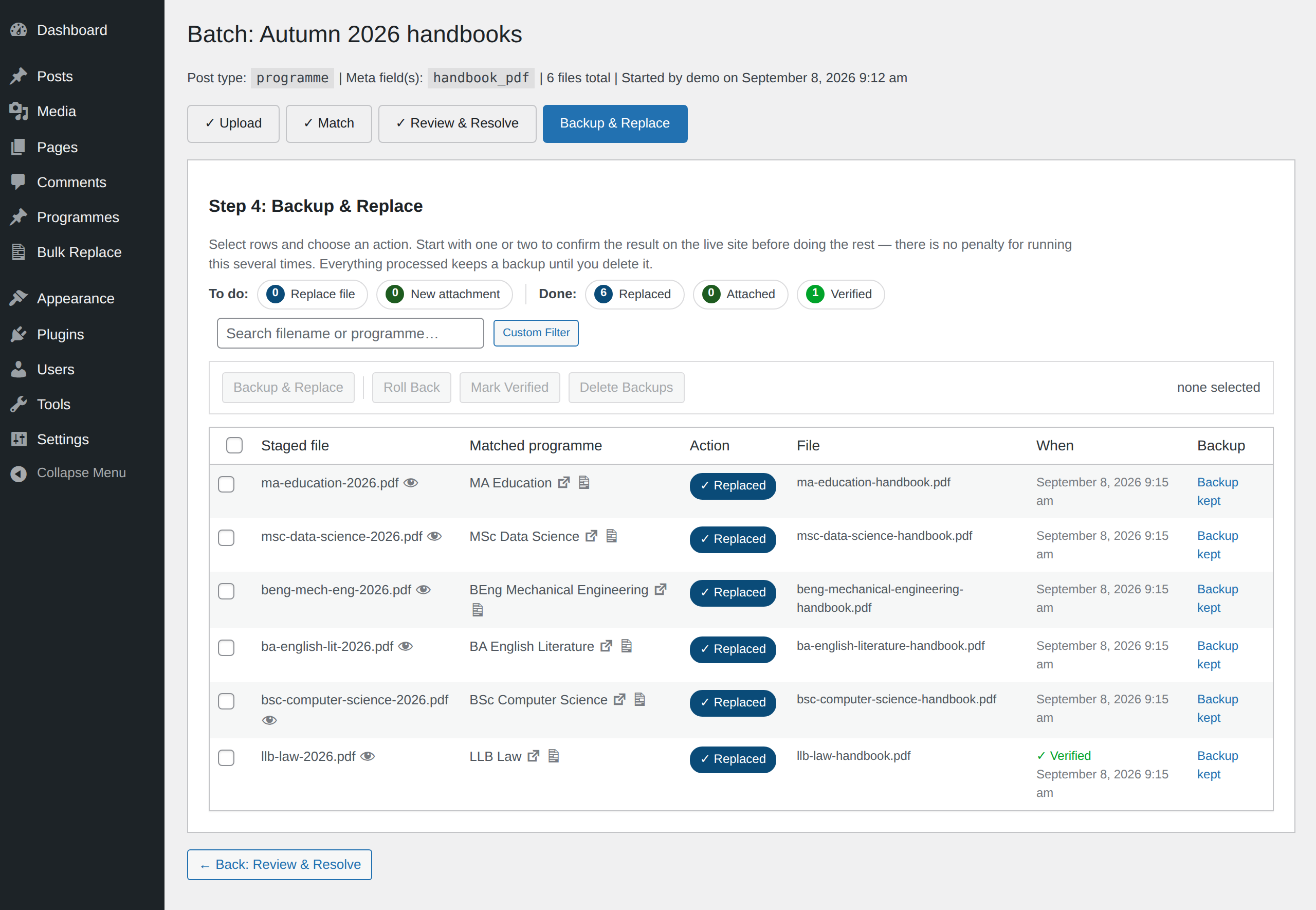
The Backup and Replace step: each row shows its status, the file it wrote, and the backup kept for it.
Every row shows what it did, the file it wrote, and the backup it kept — which stays until you delete it.
Where your files live

It finds files in more places than the obvious ones.

The free plugin covers the places WordPress already knows about — a page’s featured image, the files attached to it, and the images in its content. You choose which of those a batch is allowed to touch before it runs.

With Pro

Two more places, and both are where real sites actually keep their documents. Your ACF file, image and gallery fields are listed by name when you set up a batch — including the ones inside repeater rows. So are a WooCommerce product’s photo, every position in its gallery, and the files customers download after paying: matched on the SKU so it never has to guess, with your gallery order kept and nobody’s past purchase broken.

See what Pro finds

Two more things worth knowing

If it is easier to check a long batch in a spreadsheet, you can export it, mark it up and bring it back in. Everything you import is checked before it changes anything, and you can undo an import too.

It can merge PDFs, if your server can do it properly

Where your host has the right tools, the plugin can combine PDFs as part of a batch. It always uses the best method available and tells you which one that is — including when the only option would flatten your text into an image. Combining is optional and nothing else depends on it.

Doing this every term, or working with ACF fields or a WooCommerce catalogue? That is what Pro is for.

Or try it on your own files first — download the free plugin
Explore Pro