
WP Bulk Replace Free
Replace hundreds of files. Keep their links.
Upload a batch, review the matches, and replace files with backups and rollback ready.
Free and open source. No account required.
Looking for your Pro downloads? Files are in your account.
Demo
Watch a Free batch, start to finish.
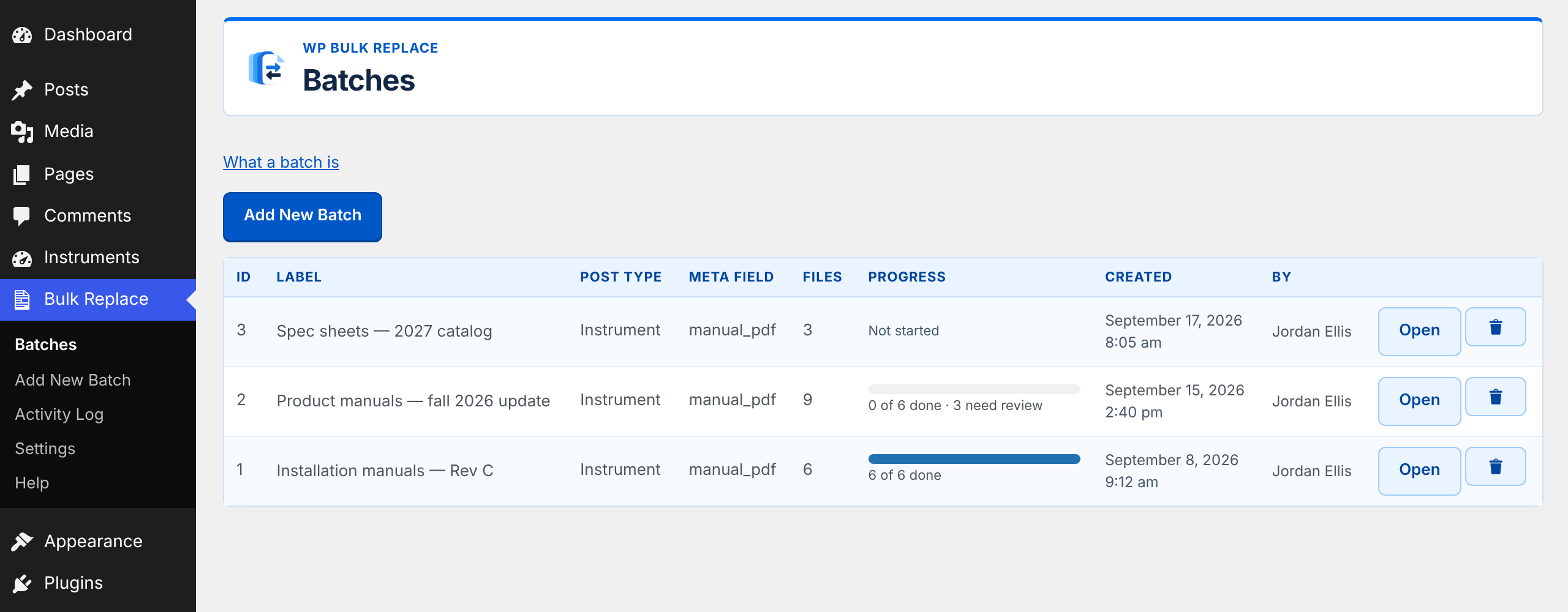
A walk through the Free plugin on a demo site: start a batch, review the matches, then back up and replace the files.
How it works
One batch. The right file for every post.
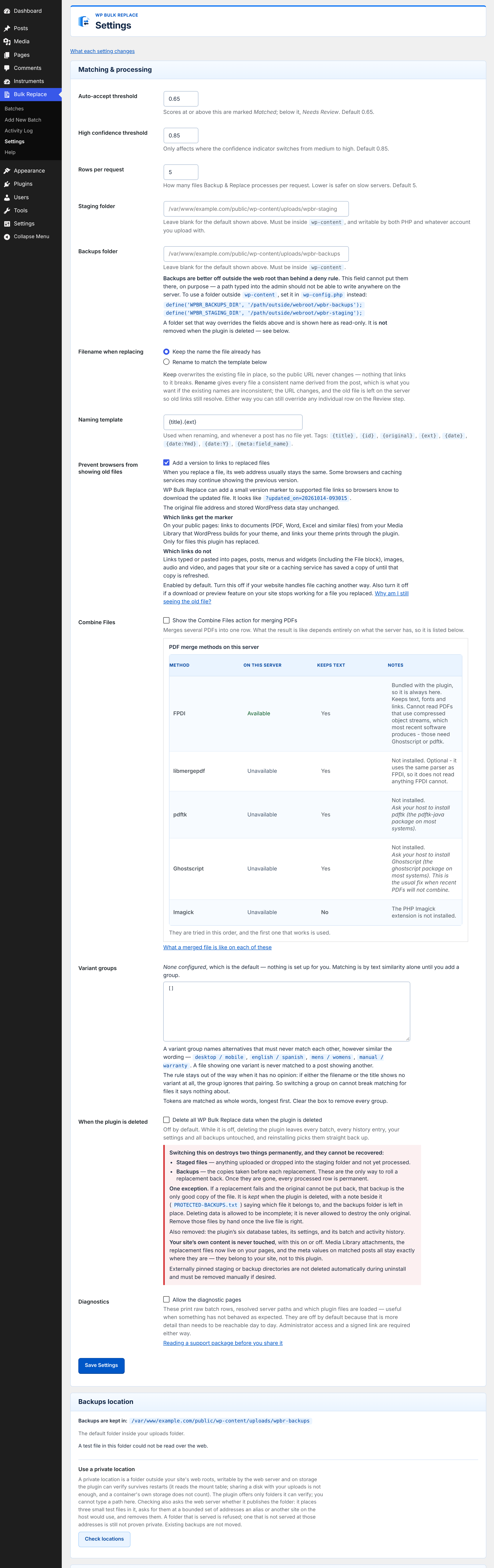
WP Bulk Replace suggests where each new file belongs. Review the matches, then run the whole batch.
- 1Upload
- 2Match
- 3Review
- 4Back up & replace
- 5Roll back
- 1
Upload — stage as many files as you need. Nothing live changes.
- 2
Match — filenames are scored against your posts.
- 3
Review — correct matches, choose rows.
- 4
Back up & replace — originals are kept first.
- 5
Roll back — restore any file from its backup.
1 · Upload your replacement files
Drop in as many files as the batch needs, or place them in the staging folder on the server. PDF, DOC and DOCX are supported. Uploading only stages a file — nothing live changes.
- qg-5-gas-detector-manual-v2.pdf
- qa-7-ph-analyzer-operating-manual.pdf
- qr400-logger-user-guide.pdf
2 · Match them to existing content
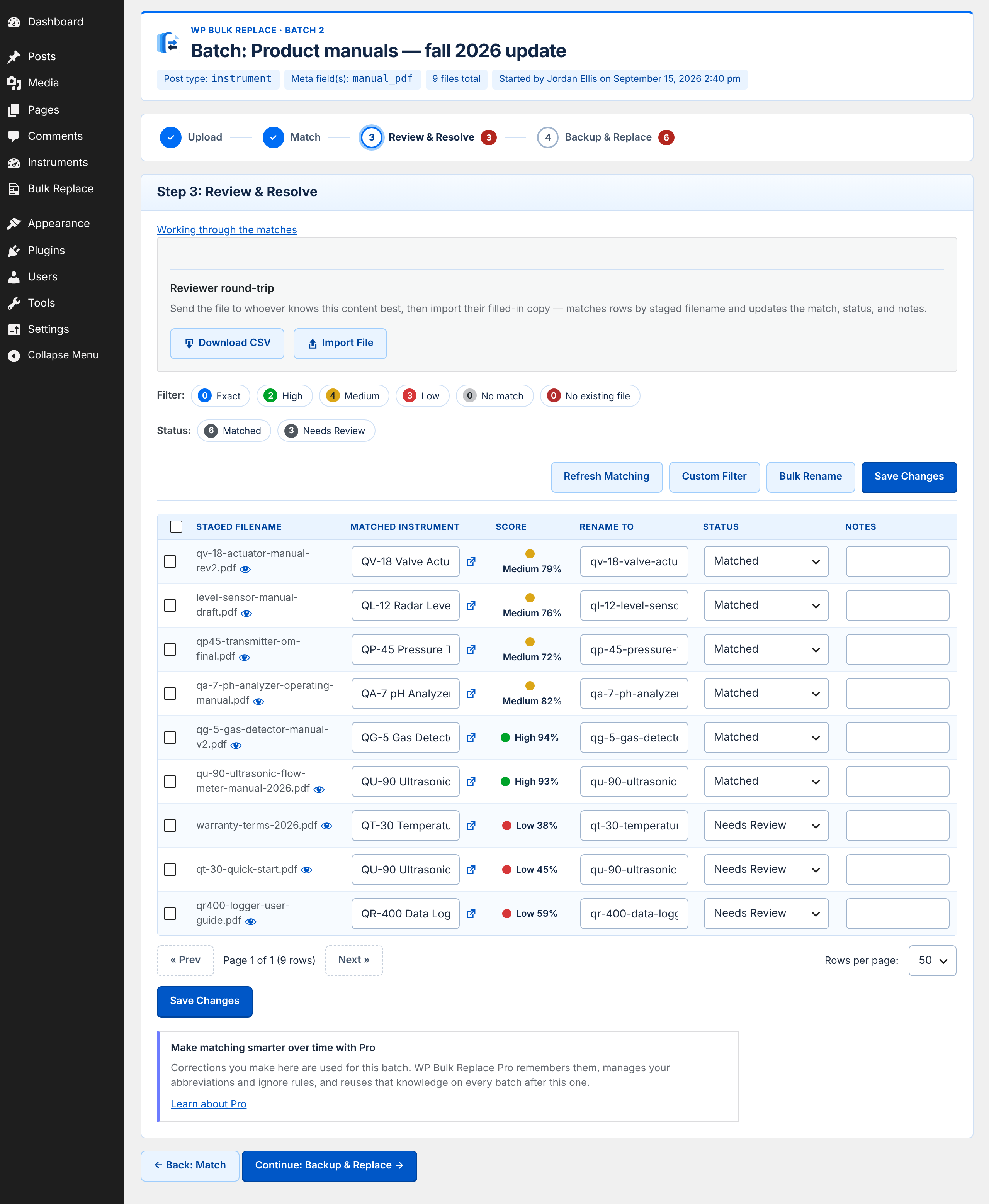
Pick the post type and the field that holds the file. Each filename is compared with your posts and scored, so you can see how confident the match is.
| File | Matched to | Confidence |
|---|---|---|
qg-5-gas-detector-manual-v2.pdf | QG-5 Gas Detector | High |
qa-7-ph-analyzer-operating-manual.pdf | QA-7 pH Analyzer | Medium |
qr400-logger-user-guide.pdf | QR-400 Data Logger | Low |
Rows taken from the Review screen at the top of the page.
3 · Review and correct the matches
This is where you stay in charge. Change a destination, fix a filename, tick only the rows you want processed, or send the list to a colleague as a CSV and import their answers.
You have already seen this screen at the top of the page. Open it full size
4 · Back up and replace
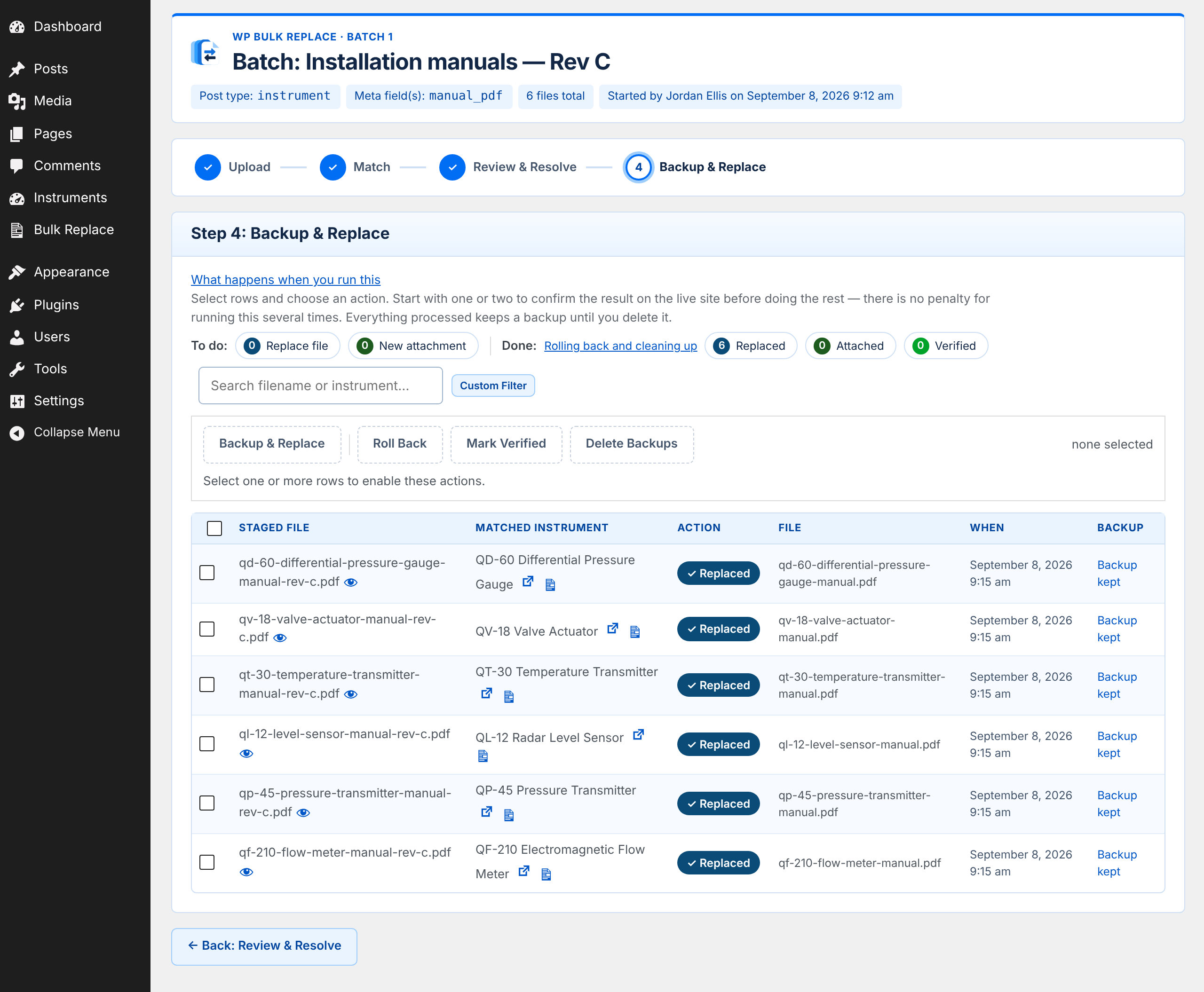
Choose the approved rows and run the replacement. Each original is backed up first. Start with one or two to check the result on your site, then do the rest.
5 · Roll back if you need to
Wrong file? Select the rows and roll them back. The original comes back from its backup — one file, not a whole-site restore.
Safety and control
Nothing is replaced until you have reviewed it.
Inspect every proposed change before it runs. Backups make individual rollbacks possible.
- You approve every replacement
- Matches are proposals. You review them, correct them, and select the rows to process. A file does not reach “Replaced” because it was uploaded.
- Backups before overwriting
- Each original is backed up first. Everything processed keeps its backup until you choose to delete it.
- Conflicts are surfaced
- If two posts point at the same file, that row is blocked instead of silently changing something outside the batch.
- Rollback when you need it
- Restore a single file, or a selection, from its backup. No whole-site restore required.
- A record of what happened
- Batches, results and the activity log are kept, so you can see what was replaced, when, and by whom.
Free and Pro
Free does the full job. Pro remembers your rules.
Free includes
- Batch upload and staging
- Deterministic matching
- Confidence scoring
- Manual review and reassignment
- Replace existing files
- Add first-time files
- Backups and rollback
- Collision protection
- Verification and activity
No artificial batch limits in Free.
Pro adds, for recurring work
- Remember matching corrections
- Managed aliases and vocabulary
- Ignore / noise rules
- Reusable matching intelligence
Ready to replace files in bulk?
Download WP Bulk Replace FreeRelease ZIP, ready to upload to WordPress. No registration.
- Version
- 1.4.1
- Requires
- WordPress 6.0 or later · PHP 7.4 or later
- Licence
- Free and open source · GPLv2 or later
- SHA-256
b99e675e19779b8389e34668fad904029a20d81b77f555ad9904aa0615ce959a
Install in four steps
- Download the plugin ZIP.
- In WordPress, open Plugins → Add New → Upload Plugin.
- Upload the ZIP, install it, and activate.
- Open Bulk Replace in the dashboard.
Use the release ZIP, not a source archive. A source archive is missing the bundled files the plugin needs and will not work.
Prefer the WordPress.org plugin directory? WPBR Bulk Replace on WordPress.org is a separate edition of the free plugin with its own updates from WordPress.org. Use one edition on a site, not both. The download above is unchanged.
More help in the Help CenterHelp and support
Where to go when you’re stuck.
WP Bulk Replace is distributed from this website. It is not affiliated with or endorsed by WordPress.org or the WordPress Foundation.